StoryLiner Video Tracks
Introduced in StoryLiner V1.7.
– This page is still in development –
Video Tracks is an experimental module of StoryLiner bringing a looot of new functionalities to the Sequencer editor, some dedicated to StoryLiner and some very generic.
As for any other experimental feature, it has to be activated in the StoryLiner Preferences settings panel. See Activating an experimental feature
Latest improvements
Follow the state of this module and learn more about the latest changes on this follow-up page: StoryLiner Video Tracks latest improvements.General idea
This module is quite big and could have been an add-on in itself. It has been developed with 2 goals in mind:
Improving the Sequencer panel: Video Tracks offers a wide set of tools to manipulate the channels and the strips present in the Sequencer and to expose useful information.
Being able to create complex edits with StoryLiner sequences: StoryLiner edits created for a sequence in a scene are very easy to tweak. Mixing several sequences in the same edit is more tricky because it requires each sequence to be exported from Blender and imported in an editing application. With Video Tracks we can now easily import many StoryLiner edits - as long as they belong to the same file - and put them together to build a larger part of the movie (or the whole movie itself if it can be in the same file).
One of the motivations is also to be able to add sounds to the sequences in a global way. By that I mean sounds that would overlap between shots.
Read this post to know more about the various sound strategies to use with SToryLiner: Thoughts about sounds and StoryLiner non-linear editing approach.How Video Tracks works
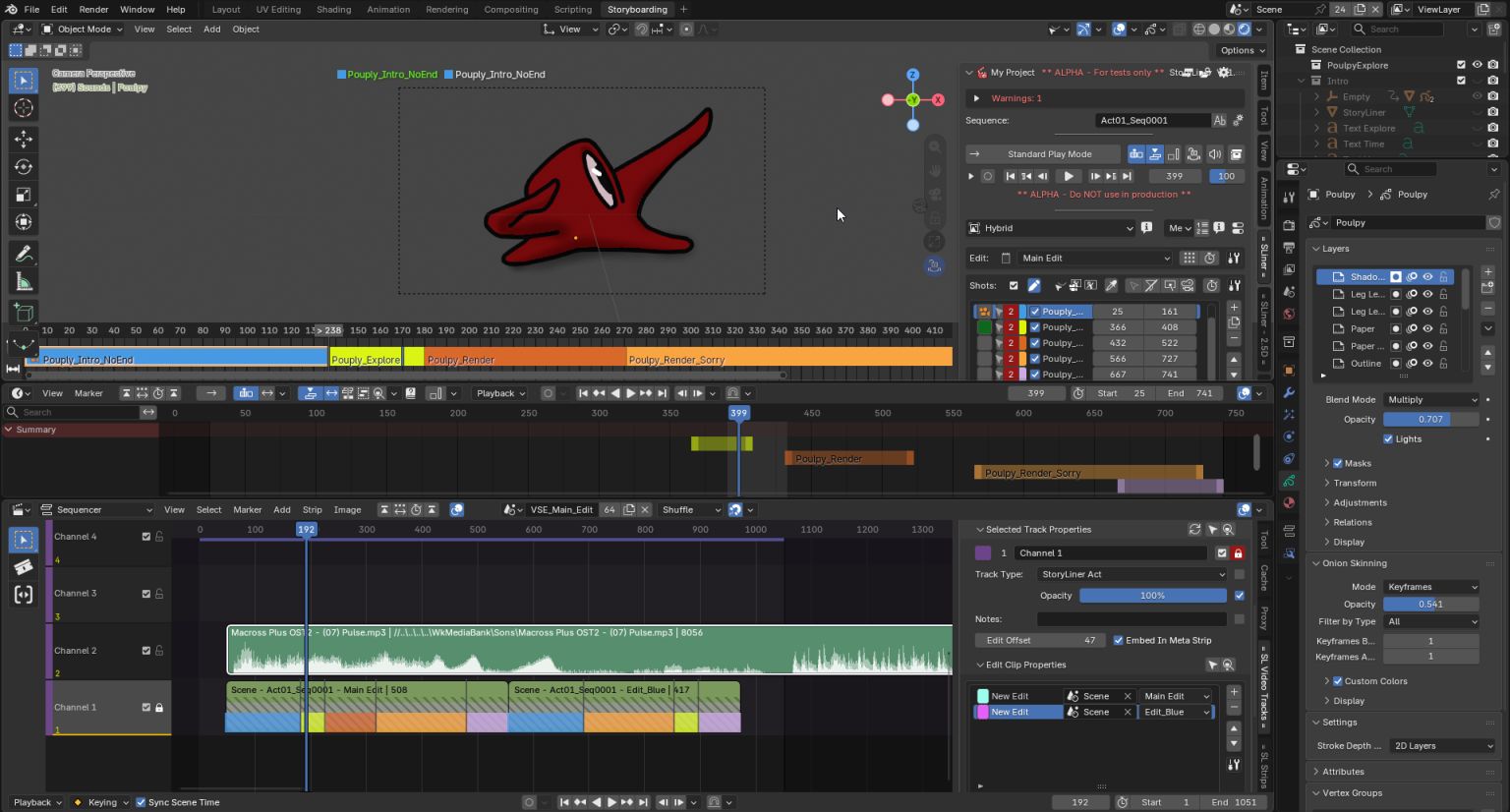
In the Blender file containing one or more scenes, each one with its own StoryLiner sequence, a new empty scene is created. It will be used to hold the main edit and cannot have 3D content on its own (this in order to avoid timing side effects).
This “main edit” scene is opened in a Sequence editor. From the Video Tracks panel, you can then import any StoryLiner edits from the other scenes.
Thanks to the new Story Tools features introduced in Blender 5, the resulting edit can now be played in “real-time” (or at least at an acceptable framerate) since the strips are coming from 3D cameras and are displayed in a 3D view (and not in that poor old laggy Preview editor).
Current limitations
When mixing 3D strips and video strips, video strips are not displayed during the playback. That’s because they are only supported by the Preview editor.
None of the StoryLiner shot-specific features such as collection or object switching, storyboard frame hiding and so are currently supported. They will, at some point.