StoryLiner V1.7 Incredible New Features
This version has a focus on all the small features that could be useful during the workflow or the rendering process, as well as on the use of the Sequencer (aka Sequence Editor or VSE).
— Currently in Alpha —
Current available version is: StoryLiner V. 1.7.9 Alpha (September 16th, 2026)
The package is available in your product page on SuperHive Market. Follow these instructions for the installation.
Important notes
- This version is for Blender 5.2 and 5.3 (still in beta).
- I’m highly looking for feedback. When you test the version, please share your thoughts and experience with me on the Spitfire Storyboards Discord – StoryLiner support channel or by sending me an e-mail.
- Features presented below may be available in some package editions of StoryLiner only. See the Differences Between Editions.

💡💡💡 Same advice as usual when using StoryLiner: Watch the tooltips !!! 💡💡💡
Latest Changes
- V 1.7.9 Alpha:
- Experimental features: Considerably improved StoryLiner Video Tracks module
- UI:
- Exposed more settings to control the direction of the zoom and translation along the camera Z axis for the tools of the Overlay Toolbar
- Exposed more settings to control the direction of the zoom and translation along the camera Z axis for the tools of the Overlay Toolbar
- Experimental features: Considerably improved StoryLiner Video Tracks module
- V 1.7.8 Alpha:
- Shot properties:
- Added an option to preserve the camera name when creating a new shot based on existing camera
- Support the import of audio files in the Camera Background feature
- Video Sequencer:
- Added Time Range controls (first iteration)
- Added Time Range controls (first iteration)
- Experimental features:
- Added StoryLiner Video Tracks module
- Improved documentation
- Shot properties:
- V 1.7.4 Alpha:
- Full multiline text support for notes
- It is now possible to use a new output folder every time a Render All is done
- The Render panel now has a Step setting to avoid rendering every images. This offers an easy way to get a “step” effect without modifying the content of the scene
- New options to show or hide some types of information in the edit boards
Storyboarding
Improved the precision of the brushes
when a Storyboard frame or a Free Grease Pencil are created in new scenes, you can now use smaller brushes. The drawing precision has been increased by a factor of 10.
Scenes that were created with StoryLiner v1.5 and earlier will still have the legacy precision.
UI and Tools
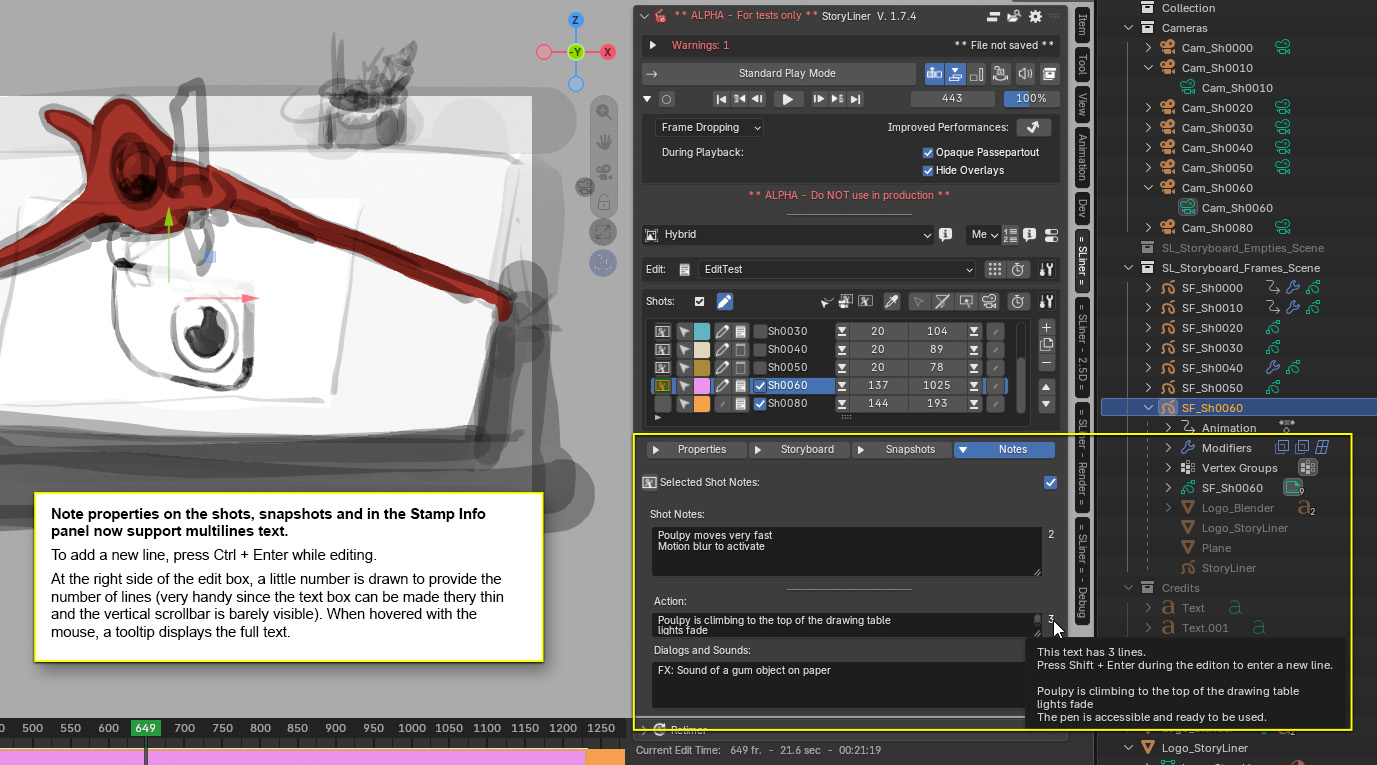
Multiline notes are now supported
Note properties on the shots, snapshots and in the Stamp Info panel now support multiline text.
Additional notes called Note 1, Note 2 and so are deprecated and are now hidden (unless they have content created in a previous version of StoryLiner). A Preferences setting has been added to display all the hidden note fields.
To add a new line, press Ctrl + Enter while editing.
At the right side of the edit box, a little number is drawn to provide the number of lines (very handy since the text box can be made very thin and the vertical scrollbar is then barely visible). When hovered with the mouse, a tooltip displays the full text.
Small improvements
- Added a menu item in Dopesheets and Sequencers to toggle the display of the editor footer
- Improved tooltips on the Set Scene Start and End buttons
Rendering
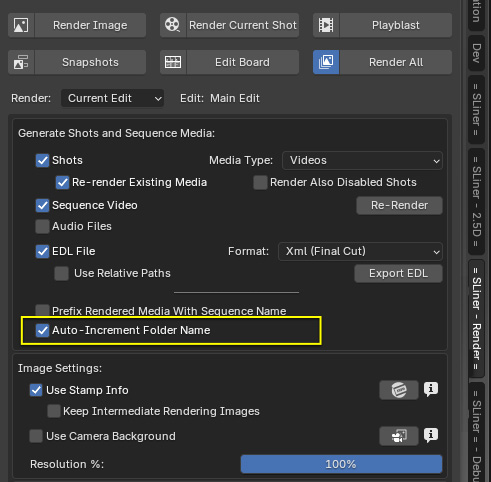
Automatically create a new output folder when rendering the media of an edit
When doing a Render All action, it is now possible to have all the new media placed in a new output folder. The name of that folder will be based on the date and time of the rendering.
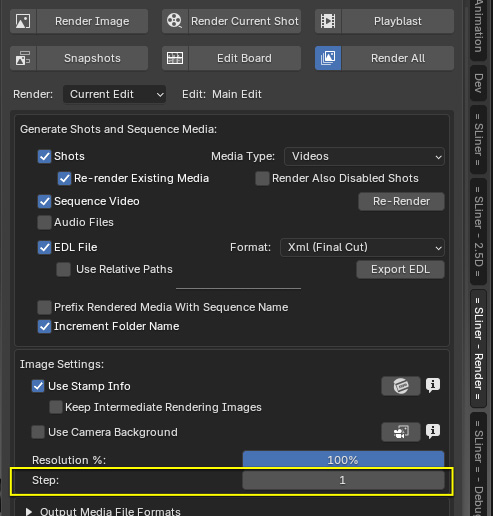
Step in the rendering of the output images
A “step factor” has been introduce to allow a fast “animatic” effect to the rendered videos. So only one image upon that step will be rendered. In practice this can save some time, but every missing frames are duplicated to preserve the same amount of frames at the end than when step is 1.
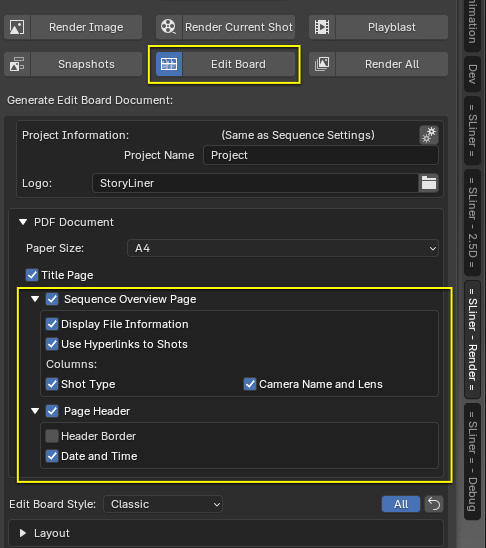
Additional settings to control the formatting of the edit board
Several properties have been exposed in order to customize the information displayed in an edit board.
Bug fixes
Several little changes here and there were required to make the code fit the Blender 5.2 Python API requirements, and bugs found along the way were also addressed.
- Shot properties: Fixed an issue on the Camera Rename button in order to affect only the selected camera by default
- Fixed several compatibility issues with Blender 5.2
- In an edit board, indices of the page of shots where wrong by 1 page